
.jpg)
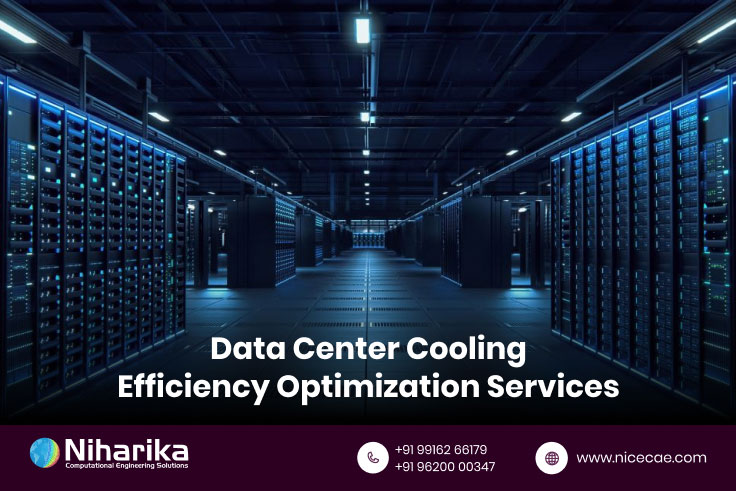
Data centers consume 40x more energy per square foot than office buildings. That’s a lot of costly heat to move out. CFD simulation helps prevent cooling failures. It also saves energy by showing hotspots and airflow patterns.
For data center managers, here are 5 CFD parameters that matter the most. They directly affect uptime and operating cost.
Inlet Temperature
Inlet temperature is the starting point of cooling and sets the tone for the entire system. It’s the air temperature entering rack doors or server inlets.
If it’s too high, servers overheat. If too low, you waste energy on overcooling. ASHRAE recommends 18–27 °C to be the optimum temperature. Stick close to mid 20s for safety and efficiency.
Common issues include -
• Hot aisles mixed with cold aisles.
• Air recirculation or bypass causes uneven inlet temps.
Monitoring tips -
• Use thermal sensors at each rack inlet.
• Feed data to your CFD model.
• Supervise monthly, or in real time if possible.
Airflow Velocity
How fast can the air travel inside the data centers matters just as much as its temperature. Airflow velocity is the speed of air moving through aisles, ducts, vents, and between equipment.
This matters because: if the air moves too slow, heat builds up in the centers. And if the air moves too fast, a lot of fan energy is consumed, and noise is made.
Aim for a target range for 1.5–2.5 m/s in cold aisles. This balance cools well without excess energy consumption.
Common issues include -
• Any obstructions inside the data centers
• Blocked vents
• Or any rack layout changes disrupt the flow
Monitoring tips -
• Install anemometers in cold aisles and under raised floors.
• Pair them with CFD to spot low velocity zones.
Why data center cooling analysis services is critical for preventing costly downtime.
Pressure Differential
Pressure differences drive airflow and are a key in a sealed environment. It’s the pressure difference between cold and hot aisles – or across floors and ceilings.
A positive pressure difference keeps the cold air in. Negative pressure causes recirculation and inefficiency. And the target range should ideally be within design limits in a hot cold aisle design.
Common issues include -
• Leaky doors
• gaps around cables
• open ceiling tiles
Monitoring tips -
• Use pressure sensors at aisle entries and sub floor zones
• Adjust airflow based on sensor feedback in CFD
Temperature Uniformity Index (TUI)
A uniform temperature is better than local extremes. The TUI measures temperature variation across each server inlet zone.
High variation leads to hotspots or over cooled areas. Both waste energy and risk hardware. Aim for ±3 °C across racks and aisles.
Common issues that cause uneven cooling -
• Misaligned perforated tiles
• uneven fan speeds
• Or equipment load variations cause uneven cooling
Monitoring tips -
• Use a grid of temperature sensors across aisles
• Run CFD to check TUI patterns and tweak floor layout
Power Usage Effectiveness (PUE) Related Metrics
PUE shows how efficiently power is being used. A key data center metric, it is calculated by dividing the total facility power used by the IT load power.
You will get an answer that shows how much energy goes into cooling, lighting, fans not just servers. Aim for 1.2 to1.4. The lower is better. Scrutinize individual cooling segments like CRAC efficiency and pump power share.
Common issues include -
• Aging chillers
• fan overuse
• faulty HVAC design
• excessive humidity control
Monitoring tips -
• Use power meters on HVAC systems, CRAC units, and chillers.
• Combine with CFD to simulate energy shifts by hour or load demand.
Why data centers in HVAC services use CFD for air distribution optimization.
Implementation Strategy
Smart monitoring starts with a plan.
Start with baseline CFD model of current setup
Analyze your room, racks, raised floor, and cooling units with the help of CFD analysis. Conduct CFD analysis for the present configuration.
Implement real time monitoring sensors at key locations
Track inlet temps, pressure, airflow, and power use. Tie them to a dashboard.
Set up automated alerts for parameter deviations
Let the system notify you when parameters stray outside target zones.
Schedule quarterly CFD analysis reviews
Update your CFD model with actual loads and environmental changes.
Use data to optimize cooling system operations
Move perforated tiles, balance CRAC output, adjust fans. See savings quickly.
Discover data center HVAC services.
Proactive CFD analysis driven monitoring prevents 90% of thermal related failures. And data centers often cut cooling energy costs by 15–20% when monitoring these five parameters. It’s essential for meeting uptime SLAs and protecting assets.
For tailored data center cooling analysis services, talk to the experts. Contact NICE CAE for a full CFD assessment. Their team helps you monitor inlet temperature, airflow, pressure, uniformity, and PUE—all in real time.
.jpg)
 (1).jpg)
 (1).jpg)
 (1) (1).jpg)
 (3).jpg)
.jpg)
.jpg)
.jpg)
.jpg)
.jpg)
.jpg)
.jpg)
.jpg)
.jpg)
.jpg)
(1).jpg)
(1).jpg)
.jpg)
.jpg)
.jpg)



.jpg)


.jpg)


.jpg)